
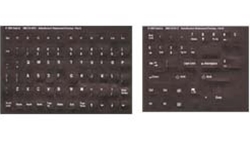
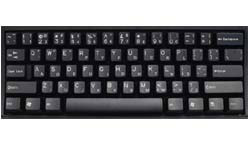

Large Print Dvorak Keyboard Labels
|
DataCal large print keyboard labels can be configured to a Dvorak keyboard layout for the standard, left-handed, or right-handed keyboard layouts. Instructions for the Dvorak layout are included. These labels are opaque and completely cover the keys.
Regular Price: $14.95 On Sale For: $12.95
|
Specifications
Features
Setup
Use
Related Products
Specifications
The Large Print English Dvorak language keyboard labels are available in black letters on beige labels (for light colored keyboards) or white letters on black labels (for black keyboards and laptops). The label set includes the labels necessary to create the US keyboard layout according to the Microsoft code page including the function keys, the numeric keypad, and all control keys. These labels are opaque; they will cover the original printing on the keyboard key completely.
DataCal language labels are designed to fit desktop and most laptop computer keyboards.
Label size: 7/16" w X 9/16" H (11mm W X 14mm H)
Features
-
Durable labels. Labels are manufactured of durable Lexan®. They won't tear, crack, discolor, or slip off even after years of use.
-
Quality Printing. The printing is on the underside of the label so the INK NEVER WEARS OFF OR SCRATCHES OFF.
-
Easy to Apply. The labels are EASY TO APPLY. The labels are printed in the same sequence that they appear on the keyboard regardless of the keyboard's original language. If necessary, labels can be cut with scissors for special installations.
-
Quality Adhesive. The label adhesive firmly attaches the label in place without damaging the keyboard key or the original key legend.
-
Removable. If desired, Labels may be removed without causing damage to the original key or the legend on the key.
-
Accurate Die-Cutting. Labels are printed with rounded corners so they cover the keytop and will not pop off in use.
-
Complete Alphanumeric Set. The label sets include labels to cover all of the alphanumeric keys on the keyboard. The sets do not include the function keys, the control keys, or the numeric keypad.
-
Durable and Flexible. Labels are flexible enough to allow you to feel the touch-typing bumps on the F and J keys.
How to Setup a Dvorak keyboard in Windows
You must first configure Windows for the Dvorak keyboard layout that you wish to use. The process is similar to setting up an international language; the operations and steps are exactly the same. The only difference is that you select English (United States) for the language and Dvorak keyboard layout (standard, left-handed, or right-handed) as the keyboard. After you configure Windows, you will be able to manually select the Dvorak keyboard when you wish to use it. For additional information on keyboard setup, see the Windows Help file system of contact Microsoft technical support. Setup instructions for Windows Vista
Setup instructions for Windows XP
Setup instructions for Windows ME
|

|